Cleaned up the database
We cleaned the spreadsheet before import, preserving each partner’s status, platform and topic, including multiple values for a single contact. Missing information was left unassigned.
CRM and automation
We set up a partner database in HubSpot and an email sequence to help a partner programme reconnect with its contacts.
The contacts were stored in a spreadsheet. The task was to move them into HubSpot, preserve the differences between partners and prepare emails to reconnect with them.
We cleaned the spreadsheet before import, preserving each partner’s status, platform and topic, including multiple values for a single contact. Missing information was left unassigned.
We set up groups based on partner properties. The client can select the relevant audience without rebuilding a list manually each time.
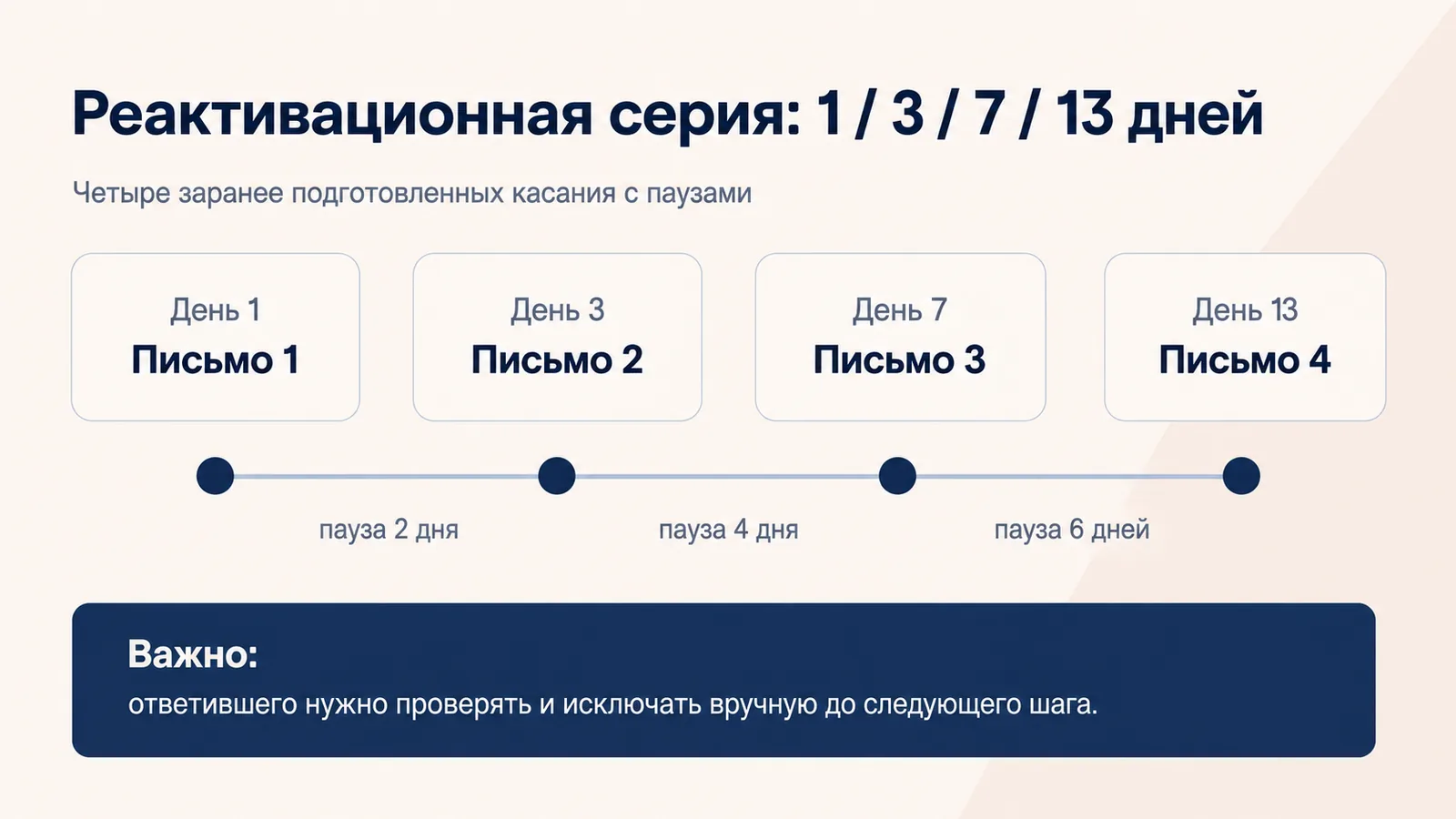
We added the client-approved copy and scheduled four emails, leaving time between messages for a reply.
For the initial group of 20 contacts, we checked the sender, recipients and sending settings. We documented how to monitor replies and manually remove respondents from the remaining emails.
Days are counted from when a contact joins the sequence.
When a partner replies, they are manually removed from the sequence so no further emails are sent.
The database is in HubSpot, with contact segments and the email sequence configured. The client has a repeatable process and instructions covering who to include, what to check before sending and how to handle replies.